City of BugsVille
The Official
Citizen's Handbook
Bureau of Civic Orientation & Public Information
“Everything you need to know. As approved by City Council after three readings and a brief recess.”
Welcome to BugsVille
BugsVille is a municipality built on the Motor Town engine, a place where citizens drive, work, argue about parking, and occasionally obey the speed limit. We keep things chill around here.
The official city portal at bugsville.gg is your one-stop government services hub: citizen dossiers, police records, the BugsVille News Network, commerce filings, and a few things the city council hasn't gotten around to naming yet.
The Municipal Search Terminal
Look, there's a lot going on in this city. Departments, bureaus, registries, wikis. It's like someone let a bureaucrat design a theme park. If you ever forget where something is, don't panic. Just hit Tab and start typing.
Search any player by name. Online citizens show a live indicator.
Type "academy" and the Police Academy page appears. Works for every page on the site.
Searches the entire Motor Town encyclopedia: vehicles, jobs, locations, and more.
Court cases, violations, CAD calls, IA complaints, properties, clubs, kudos, and commendations.
Department of Cartography
Real-time surveillance (er, cartographic services) for the benefit of all citizens
Citizen Tracking Grid
/map
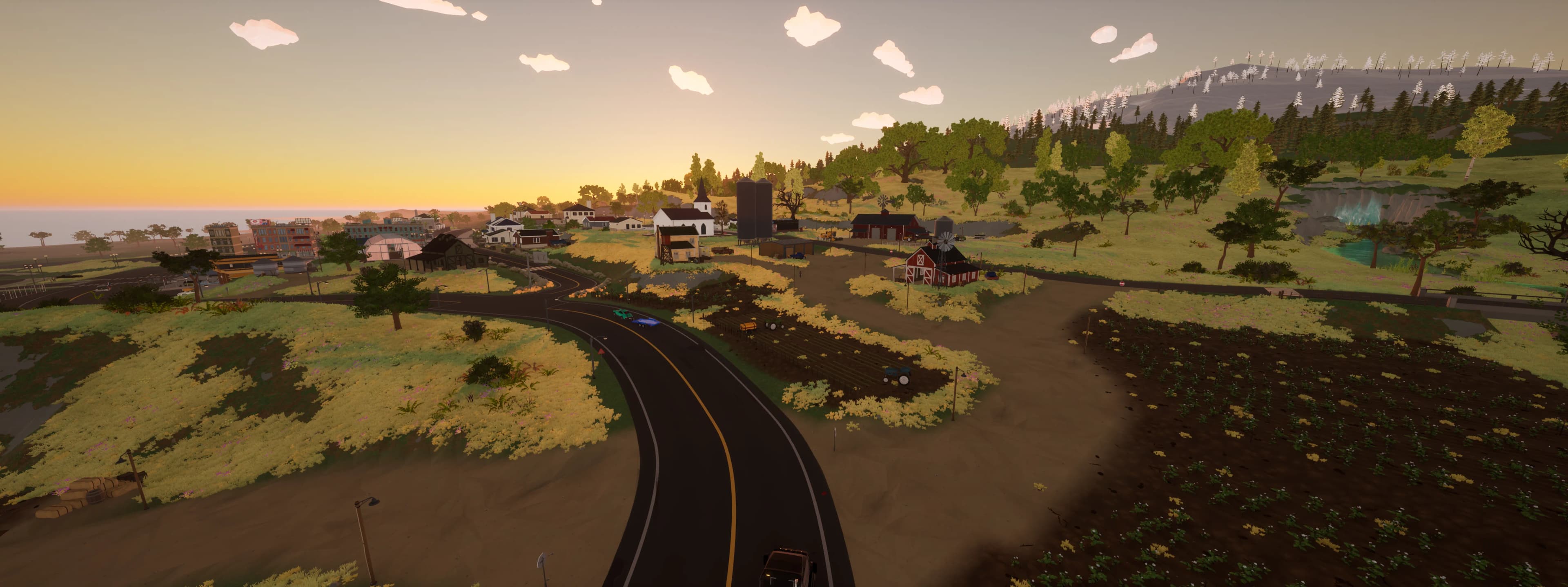
The Department of Cartography now surveys BugsVille in 3D: real terrain, every citizen rendered in their actual vehicle, buildings, and live fires, tracked by a department-issued follow camera. Positions update every second. A 2D/3D toggle switches to the flat paper map for citizens who prefer it, and the paper map tails a citizen too: click their marker and it keeps them centered as they move. This is for public safety purposes and is definitely not creepy.
Department filters: filter visible citizens by department (BPD, DOT, BFD, BRL) to see who's on duty. Useful for checking if anyone is actually working.
Zoom & pan: scroll to zoom, click & drag to pan. Pinch-to-zoom on mobile. +/- buttons in the corner for those who prefer buttons.
Commerce sites: click any delivery site to see available cargo, current stock, active shipments, and payment rates. The Commerce Bureau keeps exhaustive records.
Hover citizens: see name, department badges, current vehicle, and a direct link to their permanent record.
POI layers: toggleable map layers for gas stations, dealerships, and delivery locations, each with distinct markers for easy navigation.
Municipal chatter: a live feed in the corner relays what citizens are saying in-game. The city makes no guarantees about the quality of conversation.
Supply Chain Map
/commerce-bureau
The Commerce Bureau's pride and joy. Directional flow animations visualize every active cargo route between producers and consumers, so you can see the economic lifeblood of BugsVille in motion. A navigational sidebar lists all sites for quick browsing, and an "Excellent Opportunities" toggle highlights the highest-value trade routes. It's surprisingly mesmerizing.
Color-coded cargo: each cargo type (Sand, Steel, Wood, Fish, Fuel, etc.) gets its own color. The Bureau spent weeks picking these. Please appreciate them.
Site classifications: green dots produce goods, blue dots consume them, amber dots do both. Click any site to isolate its trade connections.
Combined filter tabs: By Type filters by truck space (Flatbed, Box, Tanker, etc.) to show only sites and routes for that cargo space; By Cargo toggles individual cargo types on/off. Great for aspiring logistics magnates.
City Departments & Positions
BugsVille runs on a surprisingly large municipal workforce. Here's who does what.
Citizens interested in civic service can visit the Application Center at /apply, a central hub to browse and apply for all open positions (police, IA, judge, Overwatch, and more). Each listing shows eligibility requirements and links directly to the application form.
Overwatch Admin
The shadow government. Overwatch maintains order, processes applications, and occasionally reminds citizens that rules exist for a reason. Think you have what it takes? Applications are open.
- City Hall operations center
- Citizen management
- Deportation authority
- Application processing
- Municipal chat oversight
BPD Officer
BugsVille's finest. The BPD keeps the peace, writes up violations, and hands out commendations to citizens who manage to go five minutes without causing a scene. Patrons can also give commendations.
- File violations (with paperwork)
- Issue commendations (BPD unlimited, patrons daily)
- Full CAD dispatch access
- Pull citizen rap sheets
- Respond to service calls
DOT Member
The Department of Transportation handles roadside assistance, traffic management, and the thankless task of helping citizens who ran out of gas in the middle of nowhere.
- DOT dispatch calls
- Traffic management duties
- DOT CAD access
- Roadside assistance (again)
Bureau of Chauffeured Transport (BCT)
Licensed taxi, limo, and chauffeured transport operators providing rides, tours, airport transfers, and VIP motorcades across BugsVille.
- BCT CAD access
- Dispatch calls
- Roster listing
BFD Firefighter
The BugsVille Fire Department responds to emergencies, keeps the community safe, and looks very good doing it. Applications are competitive.
- Emergency response duty
- Department roster listing
- BFD CAD access
- Distinguished service badge
BPT Operator
The Department of Public Transportation keeps the buses running and the taxis moving. Operators climb from Trainee to Road King. A title that sounds made up but is very real and very respected.
- Transit operator roster
- Taxi & bus level tracking
- Tier progression (Trainee to Road King)
- Transit dispatch notifications
- Self-service enrollment via Account page
Racing League
The BugsVille Racing League is where speed limits become suggestions. Organized events, official standings, and the quiet satisfaction of beating someone's personal best.
- League seasons and race events
- Official standings and leaderboards
- Distinguished racer badge
- Access to the racing community
BNN Staff
The BugsVille News Network, the city's paper of record. BNN reporters cover everything from breaking news to puff pieces about someone's new truck. Journalism at its finest.
- Publish articles & features
- Break stories (responsibly)
- BNN editorial access
- Staff application review
BPR
The Department of Parks and Recreation oversees municipal green spaces, bench placement, and ongoing squirrel negotiations. Their memos are legendary.
- Park bench oversight committee
- Interdepartmental memos (important ones)
- Cloud observation reports
- Squirrel diplomacy (ongoing)
- Self-service enrollment via Account page
Bureau of Quality Assurance
The thin purple line between a functioning municipal web platform and complete digital anarchy. BQA inspectors test every button, hover over every tooltip, and file reports about pixels that are 1px too far to the left.
- Click every button and see what happens
- Report bugs, UI issues, and edge cases
- Access the Testing Center for new features
- Self-service enrollment via Account page
Bureau of Waste Management
Someone has to keep this city clean. The Bureau of Waste Management handles disposal operations with quiet dignity and surprisingly few complaints. Assignment is mandatory. Once enrolled, citizens cannot opt out.
- Municipal waste collection
- Disposal route coordination
- Dumpster placement oversight
- Appears under City Services on online roster
BPD Rank Structure
How officers earn their stripes
BPD officers are ranked based on their service record: time on the force, violations filed, commendations given, BOLOs issued, and court participation all factor in. Every officer starts as a Cadet and works their way up to Deputy Chief. Ranks update automatically, so there's no politics. Just results.
Sustained Internal Affairs complaints can temporarily freeze rank progression. See the full requirements on the BPD Roster or Police Academy.
Municipal Services Directory
A full catalog of government services available at bugsville.gg. Your tax dollars at work.
Citizen Dossier
Your permanent record. Yes, that thing your teacher warned you about.
Every citizen in BugsVille has an official dossier maintained by the Records Bureau, a full 8-section file covering every aspect of their life in this city. Search for any citizen by name to pull up their file. They won't be notified. Probably.
Dossier Overview
At-a-glance municipal metrics: playtime, sessions, peak career level, attendance streaks, vehicle count, and gas station pitstop stats. Plus leaderboard rankings across 8 boards, department affiliations, achievement progress with a Low Hanging Fruit card highlighting achievements you're closest to unlocking, an AI-generated Vibe Check personality snapshot (with a regenerate button if you disagree with the city's assessment), a weekly activity chart the Census Bureau is very proud of, and a Recent Encounters card showing other citizens you've been near in the last 24 hours, complete with quick-action buttons for kudos and commendations. When a citizen is online, hover over their avatar to see a zoomable live map of their current location. Real-time cartographic surveillance at your fingertips.
Citizen Record
Your official standing with the Bureau of Civic Integrity: a full animated rating gauge, officer commendations, citizen kudos, and a complete violation history with expandable incident details and photographic evidence. Below the rating gauge, an expandable Kudos Given ledger shows every commendation you've issued to fellow citizens. Everything is on record.
Career Bureau
The Career Services Bureau tracks your entire working life: per-career level progression, employment timeline, and detailed performance metrics for every job a citizen has held. Your resume, whether you wanted one or not.
Garage & More
The Motor Pool Registry tracks your vehicle usage stats and most-driven rides, categorized by type (Car, Pickup, Truck, Semi Truck, Bus, Van, and more). The Field Report tab covers activity analytics and chat participation. The Transportation Bureau files your distance breakdown (wheels vs. feet), delivery-site performance metrics, and an official DOT Driver Assessment. They grade you. It's fine.
Racing Record
Official racing records filed with the BRL: personal bests, completion times, penalty records, and a full accounting of which circuits a citizen has conquered. The leaderboard doesn't lie.
Shareable Citizen ID Card
Generate a shareable image of your official municipal ID card, complete with your citizen photo, role badges, property owner status, and registration date. Perfect for proving you're a real BugsVille resident.
My Court Cases
View your complete court case history directly from your dossier: every contest filed, verdict rendered, and sentence modification on record in one place.
City Record
The unified activity feed at /dossier/city-record, a full chronological log of your civic life. Violations, court cases, dispatch calls, commendations, IA complaints, application submissions, license suspensions, and property records all aggregated into one filterable timeline. Category filters let you drill down to specific record types. Replaced the old "My Violations" page with a single, authoritative source for every interaction you've had with the city.
Command Center
Your personalized operations dashboard at /dossier/command-center: 17 role-aware widgets including Citizen Rating, Active Warrants, CAD summary, Live Scanner, Notifications, and Quick Actions. Drag-and-drop layout customization and widget visibility controls let you build the cockpit that fits your duties. Officers, dispatchers, judges, and everyday citizens each see the instruments most relevant to their role.
Unit Preferences
Prefer kilometers over miles? Toggle your unit preference from the Account page. All speeds, distances, and measurements across your dossier, patron dashboards, license records, and close call reports will adjust automatically.
Municipal Alert System
The city never sleeps. Neither do your notifications.
BugsVille operates a unified, real-time notification system powered by server-sent events. The alert bell in your navigation bar lights up the moment something requires your attention. No page refresh needed. The Municipal Communications Bureau delivers updates from every branch of city government directly to your screen.
Real-Time Alert Bell
A persistent alert bell in the navbar shows your unread notification count. New events appear instantly via SSE (server-sent events) without polling or refreshing: a dispatch update, court filing, time trial record, property expiry warning, or anything else. Click the bell to open your notification feed, mark items as read, clear all notifications at once, or jump straight to the relevant page.
Per-Category Preferences
Not every department's memo deserves your attention. From your Account page, toggle notifications on or off for each category independently: Court, Internal Affairs, DOT, Kudos, BPD, Property, CAD Dispatch, Time Trials, Clubs, Convoy Chat, Patron perks, Applications, and Glitch Reports. The city respects your inbox boundaries. Mostly.
Find it: Look for the bell icon in the top-right corner of the navigation bar, next to your profile avatar. The badge shows your unread count. Click to open the notification feed.
Unread indicators: Court cases, CAD calls, and glitch reports also display unread badges directly on those pages when new activity has occurred since your last visit, so you always know where your attention is needed even without opening the notification bell.
Correspondence & Convoy Chat
The city's official secure communications network. Wiretaps sold separately.
BugsVille operates a full citizen-to-citizen communications infrastructure. Send private dispatches to your associates, assemble group convoys for coordinated operations, and monitor the municipal broadcast, all from a floating widget that follows you around the site like a very persistent postal worker.
Private Correspondence
The Correspondence Widget sits in the bottom-right corner of every page. Three tabs: Inbox (your DM threads, sorted by most recent), Associates (your friends list with online indicators, quick kudos, and dossier links), and Convoy (group chats). Open a conversation by tapping any associate or inbox thread. Messages support Markdown formatting, display read status, and auto-scroll to the latest dispatch.
Convoy Chat
Need to coordinate with your crew? Start a Convoy: pick up to 10 associates, give it a name (or let City Hall auto-generate one from the crew roster), and you're in business. Every convoy automatically creates a private Discord thread with bidirectional message sync: type on the website and it shows in Discord, and vice versa. The convoy creator can invite additional members, close the convoy when the job's done, and reopen it when the crew rides again. Non-creators can leave an active convoy at any time. You can run up to 5 active convoys simultaneously.
Pop-Out Windows
Both the Correspondence Widget and the Server Chat Widget can be popped out into their own dedicated browser windows. Perfect for dual-monitor setups or keeping an eye on comms while browsing the rest of the site. Click the expand icon on either widget to launch it.
Server Chat (Municipal Broadcast)
A live, read-only feed of everything citizens are saying on the game server in real-time. Available as a floating widget on every page, embedded on the Map page, or in its own pop-out window. Enable or disable it from your account preferences.
Find it: The Correspondence Widget appears in the bottom-right corner of every page once you have at least one associate. The Server Chat Widget sits just above it. Both can be minimized, expanded, or popped out into their own windows.
City Records Bureau
The central nervous system of BugsVille's bureaucracy. Census data, department rosters, the Motor Pool vehicle registry, Career Services Bureau employment stats, Commerce Bureau business filings, and citizen activity analytics, all in one place. The filing clerks are exhausted.
Civic Merit Program
The city rewards productive citizens. Unlock milestones across 12 categories: every career milestone, dispatch call, kudos given, article published, kilometer driven, jury service, and community contribution is tracked and graded. Bronze, silver, and gold tiers. The mayor hands these out personally. (He does not.)
Bureau of Civic Merit
The city now rewards active citizenship with Civic Merit, a loyalty currency earned through daily participation. Log in, clock playtime, receive kudos, serve on juries, set racing PBs, earn achievements, file a dispatch call or answer one, and more. Merit accrues in real time as you play: daily login and playtime milestones are awarded throughout the day, not just overnight. Merit accumulates with daily and weekly caps to keep things fair, and can be redeemed at the Civic Merit Rewards Shop for perks like bonus kudos, anonymous kudos, map incognito mode, scanner shoutouts (broadcast to the game server for all citizens to see), and custom profile titles. Patron-scaled daily redemption limits apply: Patrons receive 2x daily limits and Mega Patrons receive 4x, so the city's most dedicated benefactors can cash in their civic goodwill faster.
Municipal Dispatch Services
In trouble? File a service call and the appropriate department will be dispatched: police, DOT, BCT, BFD, or general assistance. Each call generates a private communication thread synced to Discord. The redesigned Dispatch HQ has service-based filtering and status dropdowns so you can zero in on exactly the calls you need. Dispatchers can track your live location on the CAD map, so try to hold still. The system automatically detects when responders arrive on-scene and updates call status accordingly. Officers can use Call Other Agency to request backup from a different department on an active call. The call appears in the responding department's CAD without duplicates. You can also attach YouTube dashcam footage when filing a call or add it after, giving responding units the visual evidence they need.
Find it: Look for the red phone icon in the top-right corner of the navigation bar. Click it to file a new call or view your open calls. If you have an active call, the button glows red.
New to dispatch? The Dispatch Operations Manual covers everything: filing calls, dashboard views, the call lifecycle, and tips for responders.
Dispatch Performance Bureau
The city tracks every service call with obsessive precision. The Dispatch Performance Bureau publishes public analytics on department breakdowns, call volume trends, response time gauges, responder leaderboards, incident hotspot maps, and resolution time distributions. Transparency through bureaucracy. It's the BugsVille way.
Radio Scanner
Tune into the city's live frequency. The Radio Scanner aggregates service calls, BOLOs, violations, commendations, kudos, property transfers, and court proceedings into a single real-time feed, presented on a retro CRT terminal display with smooth auto-scrolling. Events stream in via server-sent events so you never miss a beat. A live ticker also runs in the site footer so you catch dispatches without opening the full scanner. It's the police scanner your grandpa had, except digital and legally accessible.
Find it: A live ticker scrolls across the site footer on every page showing the latest events. Click “Scanner” in the footer to open the full page. On mobile, look for the bolt icon next to the copyright text.
Police Precinct
BPD headquarters. Officers file violations, issue commendations, pull rap sheets, and manage the citizen rating system from here. Patrons can also issue commendations (1/day for Patrons, 3/day for Mega Patrons). The Detective Bureau handles active investigations: officers open case files, track suspects, log evidence and timeline entries, link related records, and collaborate with fellow investigators. Internal Affairs keeps the officers themselves in check, because who watches the watchmen? IA does. BPD officers can clock in and out of duty shifts via the Shift Clock, view their duty history, and compete on the department duty leaderboard. You must be on the server to clock in. If you leave, the system automatically clocks you out.
BOLO System
Officers can issue Be On the Lookout alerts from the Precinct page. Each BOLO receives an official case number (BOLO-YYYY-NNNN), severity level (low, medium, high, or critical), and is announced in the game server. BOLOs include last known location, vehicle description fields, and bodycam footage or picture attachments as supporting evidence, giving responding officers the intel they need. BOLOs automatically create Discord threads with live bidirectional chat between the website and Discord, so officers can coordinate from either side. The detail view includes a sightings map with pin markers showing where the suspect has been spotted, plus enhanced glass-style action buttons. BOLOs appear on the Precinct board and individual rap sheets. BOLOs auto-expire based on severity: low priority after 3 days, standard after 5, high after 7, and critical after 14. Expiry countdowns are visible on all active BOLO cards. Officers can also manually resolve them as apprehended, cleared, or expired. A BOLO is not a citation on its own: the officer who apprehends the subject issues the citation from the bulletin, linked back to it, so the original conduct is only cited once.
Citizen Complaints (Internal Affairs)
Think an officer crossed the line? The Office of Internal Affairs takes formal complaints very seriously. File your grievance, pin the incident location on a map, attach photographic evidence, and submit. You'll receive a case number and a private communication thread to chat directly with IA investigators, all synced to Discord. Officers may also be summoned for private interviews. The IA Investigator Guide is publicly available for anyone considering a career in accountability.
Bureau of Police Accountability
Sunlight is the best disinfectant, and BugsVille has plenty of it. The Police Transparency portal publishes enforcement analytics including violation trends by severity and type, officer citation and commendation leaderboards, court outcome breakdowns, anonymized IA complaint statistics, citizen rating distributions, license suspension data, and an enforcement activity heatmap. The city believes in accountability. Even for the people with badges.
Crime Map & CrimeStoppers
The BugsVille Crime Map aggregates active police CAD calls, BOLO sightings, citizen-submitted tips, and recent violations onto a live city map. The CrimeStoppers program lets any citizen submit anonymous or named intelligence tips to the BPD: report suspicious activity, provide eyewitness accounts, identify suspects, or flag vehicle sightings. Other citizens can corroborate tips to add credibility. BPD officers review tips from their Precinct dashboard, respond publicly or internally, and can award Kudos to citizens who provide valuable intelligence.
BugsVille News Network
The city's paper of record. BNN covers municipal events, citizen profiles, the police blotter, and the Star Citizens hall of fame, because every city needs a way to publicly celebrate its best residents. Give articles a thumbs-up, and click any reporter's byline to see their full body of work.
BNN Real Estate Desk
The Department of Housing & Urban Development monitors all property activity in real time and publishes the findings to BNN's Real Estate Desk. Every transfer, new claim, and expired lease gets a headline with full citizen identity: avatars, patron distinction, and role badges. Browse weekly market stats, filter by transaction type or neighborhood, and click through to the Property Registry for current ownership and expiry countdowns. The housing market never sleeps, even if the homeowners do.
Commerce Bureau: Delivery Division
The Commerce Bureau tracks cargo across 700+ registered delivery sites. Real-time inventory, priority route recommendations, and automatic sync every 2 minutes. The supply chain runs itself, you just drive the truck.
Cargo Wiki
The Commerce Bureau's official encyclopedia of every cargo type in circulation. Look up any commodity to find producers, consumers, base payment rates, and full supply chain diagrams. Export and import prices now swing with server-wide route popularity, so treat the rate here as the base that the in-game multiplier is applied to. It's like a phone book, but for sand and fish.
Yellow Pages
The official BugsVille business directory, maintained by the Commerce Bureau. Any citizen who operates a company can claim a listing. Start a business in-game and it appears automatically. Browse by category, read citizen reviews, leave star ratings, tag reviews as Helpful, Funny, or Detailed, and vote them up or down. Business owners can post official responses, amend their registered corporation name, and link employees to their listing. Linked employees appear on your company's roster with avatars and role titles, and completed Job Board jobs contribute to your company's stats. Each listing gets a clean URL for sharing. Patrons and Mega Patrons enjoy priority placement, because even in BugsVille, money talks.
Job Board
The Employment Bureau's official job marketplace. Need cargo hauled, a vehicle delivered, or a task handled? Post a work order with pickup and dropoff locations, set a size tier and payment in kudos or civic credits, and let a fellow citizen claim it. Workers upload proof of completion with photos and notes, then the poster reviews and rates the work (1-5 stars). Every job shows a live route map with A* pathfinding along the road network. Jobs are linked to your Yellow Pages company. Completed jobs build your company's reputation and show on your business listing. Each job gets a Discord thread for coordination, with comments syncing bidirectionally between the website and Discord.
Clubs
Citizen-organized clubs for cruisers, racers, truckers, convoy runners, community helpers, tuners, off-roaders, and anyone who just wants to hang out. Found a club, recruit members, showcase builds, share tips, and organize events with map coordinates. Mega Patrons can create and manage multiple clubs. Each club gets a Real Rides photo gallery, Stats and Time Trials tabs, and live Discord-synced comments. Posts use a rich text editor with bold, italic, lists, and more. New posts auto-crosspost to Discord. Club leaders can broadcast event alerts to all members via game chat, Discord, and website notifications, plus send shout-out announcements per event to rally more participants (2 base, 3 for Patrons, 4 for Mega Patrons). RSVP'd attendees get a private event chat, a Discord thread synced with the website where they can coordinate before, during, and after the event. Pending invitations show accept/decline buttons right on the club page, with a green dot on your avatar so you never miss one. Event times display timezone abbreviations so members across time zones always know when to show up. If a founder decides to move on, they can dissolve their club from the manage page with a secure type-to-confirm process.
City Events
The City Events system at /events lets citizens create, browse, and RSVP to 9 event types: meetups, cruises, convoys, races, car shows, ceremonies, patrols, ride-alongs, and delivery runs. Upload banner images, edit events after creation, and view them in agenda or grid layout. RSVP counts update in real time. No refresh needed. Past events are preserved in a public archive so you can browse the city's event history. Comments sync with Discord event threads and support photo attachments and emoji reactions. Upcoming events broadcast 4-stage alerts to the game server (30min, 10min, 5min, start). Organizers can issue shout-outs to recognize outstanding attendees.
Municipal Drag Strip
The city's officially sanctioned quarter-mile. Every run is recorded and ranked: fastest times, quickest reactions, highest top speeds. View racer consistency ratings, total run counts, and event organizer stats. The Department of Transportation does not endorse this level of speed anywhere else.
Time Trials (Experimental)
The BRL's experimental racing program. Mega Patrons can design custom tracks by creating a race event in-game, exporting the route file, and uploading it to the website. Checkpoints, start/finish zones, and a map preview are generated automatically. Once a track goes live, any citizen who drives through the start zone is automatically timed via waypoint-based path interpolation (fancy term for 'we know where you are on curves'). You must hit at least 70% of checkpoints to qualify, and each missed checkpoint incurs a 5-30 second penalty scaled to the track's distance. False starts are caught automatically. Set personal bests, climb leaderboards, and rate tracks with a thumbs up or down. The city takes its unofficial racing infrastructure very seriously.
Census Bureau Leaderboards
The Census Bureau publishes official rankings across 25 categories organized into Dedication, Driving, Career, Social, Milestones, and Civic Merit sections. Player time, marathon sessions, top speed, crash stats, career levels, kudos, chat volume, achievements, time trial runs, pitmaster, highest elevation, trailblazers, top associates, top correspondents, Civic Merit earned and spent. If it can be measured, there's a leaderboard for it. Summary cards at the top highlight key standings including Civic Merit rankings. Use career and department filter pills to narrow rankings at a glance.
Monthly City Awards
City Hall hosts monthly awards to recognize outstanding citizens across categories chosen by the municipality. Residents nominate their peers, the public votes, and winners receive official recognition with automated BNN press coverage. Democracy in action. Or at least as close as BugsVille gets.
Dept. of Housing & Urban Development
The Property Atlas is an interactive map of every property in BugsVille. Browse them all on a live map with a sidebar directory that pans to each location on hover. Click any property to open its full dossier: neighborhood safety rankings, 7-day incident trends, and a complete breakdown of every district's danger level. Property owners can name their estates with custom titles that display on the map, listings, and detail pages. Names are preserved in the transfer history when ownership changes. Owners can also curate a Photo Gallery with interior and exterior images of their holdings. Photos are automatically archived if ownership changes and restored if the property returns to the original owner. The HOA Guidelines cover parking, noise, exterior modifications, and other things your neighbors will absolutely file complaints about.
Bureau of Patronage: Services Dashboard
Classified: Patron & Mega Patron clearance required
Citizens who support the Bureau of Patronage through Stripe or the Discord Server Shop receive a personal services dashboard. Link Discord in your citizen dossier before subscribing so City Hall can attach every perk and protection to your player. The dashboard includes 8 classified sections, from live activity surveillance and exploration tracking to social analytics and racing performance files. All data is pre-computed for instant access. Mega Patrons are automatically enrolled in the Bureau of Quality Assurance with Testing Center access. Location history retained for 30 days (Patrons) or 90 days (Mega Patrons). The government remembers.
Command Center
Your personal operations hub: weekly intelligence digest, stats overview, department briefing cards linking to every section, watched citizen alerts, property expiry countdowns, and a direct line to priority support. Basically a corner office.
Recon Map
Full-screen interactive map with classified overlay layers: event markers, trail history, and a personal heatmap of everywhere you've been. Time-period filters, event toggles, and a timeline playback slider. It's your life, on a map.
On The Road
The Travel Bureau's report on your driving habits: daily distance charts, vehicle breakdowns, trip history, and milestones. Also includes a Close Calls analysis of hard braking events and danger zones. Drive safe. Or don't. We're tracking it either way.
Exploration
A fog-of-war map revealing what percentage of BugsVille you've actually seen with your own eyes. Per-zone discovery dates, monthly exploration rates, and milestones. Plus your Trailblazer Score from the Off the Beaten Path program. Earn points for visiting rarely-explored areas of the map. The more remote the location, the higher the score. Most citizens are shocked by how little of the city they've visited.
Social & Comms
Your social dossier: inner circle rankings, frequent passengers, encounter trends, chat analytics with word clouds, message frequency charts, and an algorithmically determined chat personality type. The city knows who your friends are.
Records & Rankings
All-time personal bests and a radar chart showing how you stack up against the entire population across 6 dimensions: playtime, distance, sessions, kudos, and more. A humbling experience for most.
Real Estate
Complete property ownership timeline: every transfer, claim, and expiration on file. Current holdings with expiry countdowns and a full transaction ledger. The deed office keeps impeccable records.
Racing
Your personal racing file: PB progression charts, per-track breakdowns, vehicle performance comparisons, and recent run history. The BRL keeps receipts on every lap.
Bureau of Civic Integrity
Your permanent behavioral file, maintained with care by the city
Every resident of BugsVille is assigned a Citizen Rating from A to F by the Bureau of Civic Integrity. Think of it as a credit score, but for not being terrible. Your rating is calculated from:
- Violations - Official police incidents go on your record and reduce your score by severity (Minor: -1pt, Moderate: -3pts, Major: -7pts, Severe: -12pts). Officers can also issue Written Warnings (0pts) for first-time or low-impact infractions. The BPD has excellent penmanship.
- Commendations - BPD officers can issue unlimited commendations, and patrons can give them too (1/day for Patrons, 3/day for Mega Patrons). Each commendation adds +5 points to your rating. City Hall also automatically awards commendations when your suggestions are approved. It's official recognition of model citizenship, visible on your rap sheet and announced in-game. Mega Patrons can opt in to permanent Untouchable status via the Above the Law toggle on their Account page.
- Citizen Kudos - Any logged-in citizen can give kudos to a fellow resident for good vibes. No department affiliation required. Each kudos adds +1 point to the recipient's rating. Regular citizens may distribute up to 5 per day (Overwatch & Patrons get 10, Mega Patrons get 20). Discord Server Boosters get +5 bonus kudos on top of their tier. The Bureau of Recognition encourages liberal use. Tip: Give kudos from the Map (click a citizen), from CAD responder lists, from on-duty rosters and active convoys on the homepage, or press Tab anywhere to open search and kudos someone directly. There's a 24-hour cooldown per recipient. You can't give the same person kudos more than once per day. Want more? Redeem Bonus Kudos from the Bureau of Civic Merit Rewards Shop. Each adds +3 to your daily limit (up to 10 redemptions/day base, 20 for Patrons, unlimited for Mega Patrons).
- Get Out of Jail Free Card - Patrons receive a weekly municipal pardon card worth +10 points. Resets every Monday. Use it or lose it, the city does not honor expired paperwork.
Recovery & Decay
Citizens below 100 recover +3 points per week with a clean record, plus a +5 bonus after 30 days clean. Patrons and Mega Patrons recover at double speed: +6 points per week. Scores above 100 gradually decay -3 points per week back toward baseline.
Your rating appears on your citizen dossier and rap sheet for all to see. The Bureau recommends maintaining good behavior. Or at least not getting caught.
Roleplay content boundaries
Roleplay is encouraged, but sensitive real-world topics (suicide, self-harm, domestic abuse, and sexual assault) are off-limits in all RP scenarios including violations, court cases, and dispatch calls. See Ordinance §14.
Zero Tolerance for System Abuse
These systems exist for roleplay and fun. If you don't want to participate, that's fine. But if you spam or abuse them, or get banned from the game server, you will be permanently removed from everything. No second chances, no appeals, no recourse. See the full Zero Tolerance Policy.
New Resident Orientation
Citizenship processing in three easy steps. Bureaucracy at its most efficient.
Report to City Hall (Discord)
All new residents must register at City Hall, our Discord server. This is where you'll find municipal bulletins, chat with fellow citizens, and receive official city dispatches.
Report to City HallPresent Your Credentials (Steam)
Log in to bugsville.gg via Steam to activate your citizen account. This unlocks your dossier, enables service calls, and lets the government know you exist.
Login with SteamLink Your Comms (Discord)
Connect your Discord account in settings to unlock department features and receive a one-time welcome kudos from City Hall. During onboarding you can choose which notification channels to follow, from city announcements to BPD dispatches and QA testing alerts. You can manage department memberships and notification preferences anytime from the Account page. No paperwork required. Note: log out and back in after connecting for changes to take effect.
Account SettingsMunicipal Services Directory
BugsVille Traffic Court
Your right to contest. Your day in court.
Received a violation you disagree with? Every citizen has the right to contest any violation within 14 days of issuance. For major and severe violations, a jury of 5 citizens is summoned and a judge reviews the evidence. Minor infractions proceed directly to a bench trial before a judge. Either way, you can get a defense attorney, upload evidence, submit formal arguments, and have your day in court. All proceedings are public record and synced to a public Discord thread in the court forum channel.
Find it: The courthouse icon sits in the main navigation bar. When you have a contestable violation, jury summons, or lawyer request, a red dot appears on the icon. You can also contest from the avatar dropdown menu under your profile picture.
How to contest
- When you have an eligible violation, a courthouse icon appears in your nav bar
- Click it to open the contest flow, or find it on your Dossier page
- Write a statement explaining your side (minimum 50 characters)
- Submit: a court case and Discord thread are created automatically
Court proceedings
- You file your case: for major/severe violations, 5 jurors are summoned automatically (minor violations go to bench trial)
- The citing officer has 72 hours to submit a rebuttal statement
- Both parties submit formal arguments and upload evidence
- The judge calls for jury votes: all seated jurors cast their verdicts
- The judge issues a final binding verdict
Jury of Peers
5 random citizens summoned, 12-hour window to accept, majority vote shown. Jurors earn +5 citizen rating points. Citizens rated D or F are ineligible for jury duty.
Citizens Involved
Cases display all involved parties (victim, witness, defendant) with color-coded role badges
Evidence Upload
Both sides upload photos, body cam footage, screenshots as exhibits. Paste images directly with Ctrl+V
Defense Attorney
Choose a specific lawyer or request a public defender to argue on your behalf
Judge Questions
The judge can pose direct questions to either party during proceedings
Witness Subpoenas
Judges can subpoena witnesses to testify and manage juror assignments from the bench
Sentence Modification
Judges can reduce sentences on resolved cases when circumstances warrant leniency
Court History
All court cases appear on citizen dossiers for a complete judicial record. Judges can opt into real-time alerts via the Judge Notify role.
Case Sealing
Judges may seal sensitive cases from public record when circumstances require discretion
Upheld
Violation stands. No change.
Reduced
Severity lowered. Partial points restored.
Dismissed
Removed from record. Full points restored.
Report a Glitch
See something broken? Help the city fix it.
BugsVille has a built-in bug reporting system. If you spot something that doesn't look right (a page not loading, a button that does nothing, numbers that seem wrong, or anything else that feels broken), you can file a glitch report directly from any page on the site, or head straight to the intake desk at bugsville.gg/report-glitch. The Bureau of Quality Assurance reviews every report.
How to report
At the intake desk
- Go to /report-glitch
- Type the page that gave you trouble, or leave it blank
- Describe what's wrong, attach screenshots if you can, and file
From the page itself
- Click the small bug icon in the bottom-left corner of the footer
- A report window opens with the page URL already filled in
- Describe what's wrong and hit submit
What happens next
- Your report is filed in the Glitch Registry with a tracking ID
- The Bureau of Quality Assurance is notified via Discord
- QA inspectors verify the issue and add investigation notes
- Reporters and QA members can exchange updates via a simple comment thread on the report
- Once confirmed and fixed, the report is marked as resolved
- You can dismiss reviewed reports from your glitch list when you're done tracking them
Find it: Look for the small bug icon in the bottom-left area of the footer on any page. Click it to open the report form right where you are. The current page URL is pre-filled automatically. The desk also has its own address, bugsville.gg/report-glitch, if you would rather file from a link.
You must be signed in with Steam to file a report. Screenshots are optional but very helpful. You can drag, paste, or upload images directly into the report form.
City Mentorship Program
Learn from experienced citizens. Become one yourself.
BugsVille has a mentorship system that connects new or returning citizens with experienced players who know the ropes. Whether you're confused about game mechanics, server rules, site features, or just need a hand with something, City Mentors are here to help.
Need Help?
- Head to the #mentorship channel on Discord
- Post your question or what you need help with
- A City Mentor will click the “Help This Citizen” button on your post
- A private thread is created just for you and your mentor
- Chat back and forth until you're sorted out
- Give your mentor kudos when they've helped you out
Becoming a mentor
- You need at least 100 hours of gameplay in BugsVille
- Opt in via your account settings or during onboarding
- The City Mentor role is added to your Discord account
- When someone posts in #mentorship, you can click to help them
- A private thread is created where only you, the citizen, and city admins can see
- Citizens can send you kudos directly from the thread
Privacy: Mentorship threads are private: only you, your mentor, and city oversight can see the conversation. Nothing is posted publicly.
Office of Citizen Concerns
Lost? Confused? Stuck in a ditch? The city is here to help. Submit a support ticket at /support for web-based ticket management, or visit City Hall on Discord. Once your issue is resolved, you can close your own ticket to help our team focus on open cases. For in-game assistance, file a service call and someone will be dispatched. Eventually.